
A Driveway Camera Without WiFi: The Three Ways It Works, and What Each One Costs
No WiFi splits three ways: a 4G cellular camera with a data plan, a camera that saves to an SD card you retrieve, or a wired camera to a local recorder. The important truth is that without WiFi does not mean without a monthly bill. Only the SD-card path is truly free after you buy it.
 Ray Ostrander · Updated July 24, 2026 · how I decide
If you buy through a link here, the site earns a little. It's never why anything gets picked.
If a spot has no WiFi, a camera can still watch it three ways: a 4G cellular camera with its own SIM and data plan, a camera that saves to an SD card you walk out and retrieve, or a wired camera running to a local recorder. Here’s the truth nobody puts on the box: “without WiFi” doesn’t mean “without a monthly bill.” Any cellular camera needs a data plan for as long as you own it, roughly $10 to $40 a month per camera. The only path that’s truly free after purchase is the SD card, and you pay for that one with your feet. For a short driveway near the house, that SD-card camera may be the whole answer.
What's on this page
”Without WiFi” is a shelf, not a product
The first thing to understand is that you haven’t picked a camera yet. You’ve picked a constraint. “No WiFi” describes your spot, not the thing you’re going to mount there, and that constraint gets solved three different ways, at three very different monthly costs. The pages that come up when you search this tend to sell one of those ways and quietly skip the others. Let me lay out all three so you can see which one your driveway actually wants.
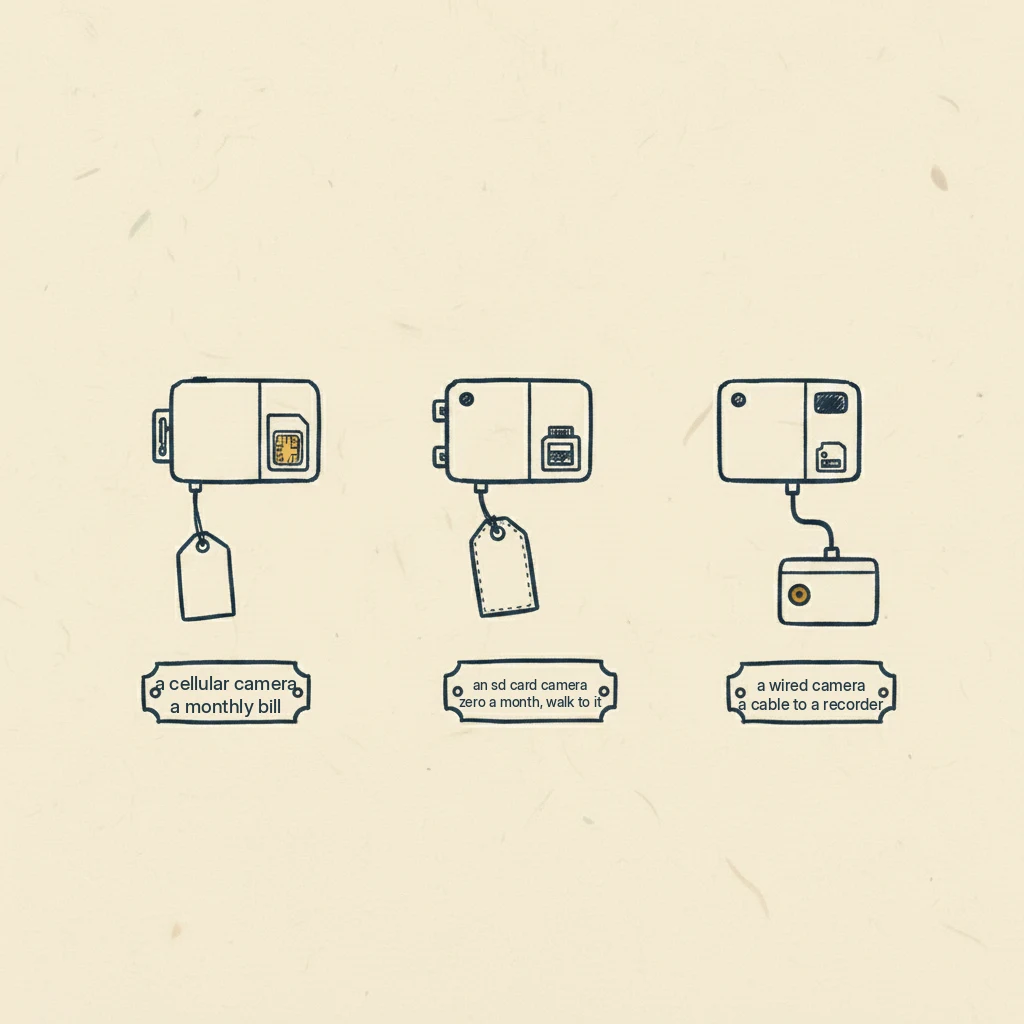
There are really only three paths, and once you see them the choice gets simple.
The three ways a camera works with no WiFi
Cellular, or 4G LTE. This camera carries its own little cell connection, a Nano SIM and a data plan, the same idea as the phone in your pocket. It doesn’t touch your home network at all. It sends pictures over the cell tower. Two of the common ones, the Arlo Go 2 and the Reolink Go Plus, run about $250 as I write this, and they lean on the same carriers your phone uses. The cost you don’t see on the box is the data plan behind it, and I’ll come back to that because it’s the whole story.
Local SD-card storage. This camera records to a memory card inside it, so there’s no subscription and no network needed at all. The trade is that the pictures live on the card, in the camera, so you have to physically go get them, or view them right there. No monthly cost, ever. Your feet are the cost.
Wired to a local recorder. This is the security-installer answer: cameras running on cable to a recorder box, a DVR or NVR, sometimes powered over that same cable. It records continuously and stores everything locally, so there’s no ongoing fee. But it needs power and a cable run, which is why it rarely fits a gate at the back of a rural lot. These systems start higher, a recorder around $350 to $450 and a basic wired four-camera setup around $500, climbing from there. If you can run a cable, it’s the reliable choice, and even the shelf that sells cellular cameras admits as much: it points to wired-with-local-storage as the most dependable option where you can manage it.
Here’s what’s actually happening with the cellular bill
This is the part that catches people, and it’s the reason the plan matters more than the camera.
A cellular security camera is usually trying to stream video, and video is heavy. The independent reviewers put a number on it: about 1GB of data for every two hours of continuous HD streaming. Run four cameras that way and you can be looking at around $160 a month just for the data. That’s why the plans on these run $10 to $40 a month per camera. They’re not overpriced. They’re moving a lot of data.
Now hold that next to a cellular trail camera. A trail camera only wakes up when something moves, snaps a photo, and sends that one picture. It moves a tiny fraction of the data, which is exactly why its plans start around $5 a month, and why SPYPOINT even offers a free tier of 100 photos a month. The trail camera isn’t cheaper because it’s a lesser product. It’s cheaper because it sends so much less. That’s the honest trade: fewer, motion-only pictures for a far smaller bill.

So which one does your driveway want?
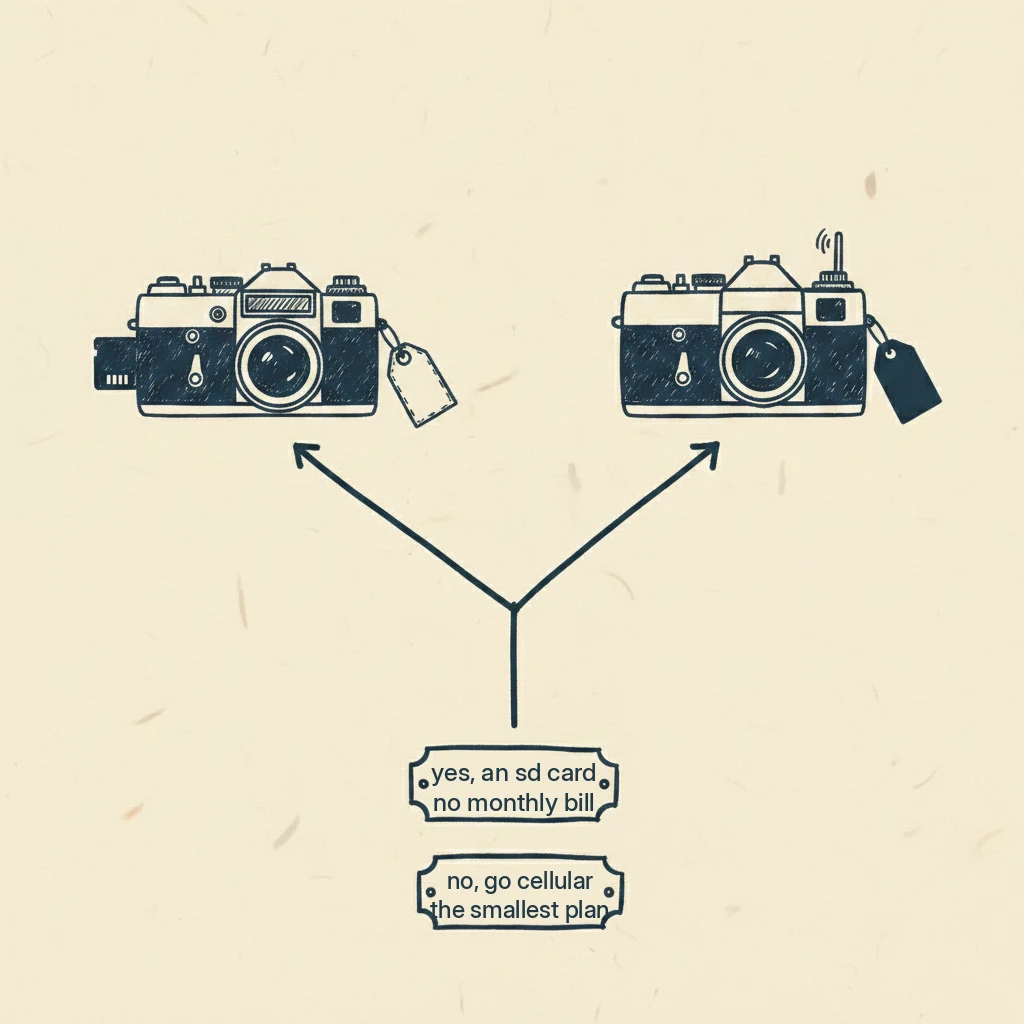
Here’s the fork, and it turns on one plain question: can you walk to the spot?
If you can walk to it, an SD-card camera with no monthly bill is hard to beat. A short driveway thirty yards from your back door doesn’t need a data plan. Pulling a card on your way past is nothing, and you keep the money.
If you can’t easily walk to it, or you want to see things as they happen, then you’re paying for cell, and now the question is how much camera you want for that plan. If you want continuous, higher-resolution footage and better odds of identifying a face, a 4G cellular security camera around $250 plus its plan is the tool, and many come with a big battery or a solar panel to keep them fed off-grid. One eufy model claims up to 180 days on a charge, though that’s the maker’s number and real battery life depends on how often the camera fires and how cold it gets. If instead you mostly want cheap, long battery life and motion snapshots from somewhere remote, a cellular trail camera in the $80 to $120 range with a small or free plan is the classic answer.
And if there’s no cell signal out there either, you’re back to an SD-card camera you retrieve by hand, because there’s simply no signal to send anything over.
Before you buy: two honest cautions
A cellular camera only works where there’s a cell signal, and here’s the cruel part: the remote spots that most need a no-WiFi camera are often exactly where the signal is weakest. Check that your phone gets bars at the mounting spot before you spend the money, not after.
And a plain word on the rules, because it isn’t my place to hand you legal advice. Several of these cameras record sound as well as pictures, and the rules on recording, on audio, and on where a camera may point, especially near a property line or a neighbor’s land, vary from state to state. I won’t tell you what your rules are, because they depend on where you live. Just check your own state’s before you mount one.
Questions people actually ask
Can a security camera work without WiFi or internet?
Yes, three ways. A 4G cellular camera uses a SIM and a mobile data plan instead of your WiFi. A camera with an SD card stores everything locally and needs no network at all. And a wired system records to a local box over cable. The cellular one carries a monthly bill; the other two do not.
Does a no-WiFi camera still cost money every month?
Only if it’s cellular. A 4G camera needs a data plan, roughly $10 to $40 a month per camera, for as long as you own it. An SD-card camera and a wired local-recorder system have no monthly fee at all. So “without WiFi” doesn’t automatically mean “without a subscription.”
What’s the cheapest way to watch a driveway with no WiFi?
For a driveway you can walk to, an SD-card camera you check by hand is usually the cheapest honest answer: buy it once, no plan, no bill. If you need pictures sent to you from a spot you can’t reach, the cheapest sending option is a cellular trail camera with a small or free photo plan, because it only sends when something moves.
Do I need a data plan for a driveway camera?
Only for the cellular ones. If the camera talks to a cell tower, yes, it needs a plan and there’s no way around it. If it saves to an SD card or records to a wired box on your property, no plan is required. Match that to whether you can physically reach the camera to collect its footage.
What I’d do with a spot and no WiFi
So here’s where I’d land. I’d ask myself one question first: can I walk to the spot? If I can, an SD-card camera and no monthly bill is hard to beat, and I’d start there. If I can’t, then I’d pay for cell, and I’d pay for the smallest plan that does the job I actually need, not the biggest one on the shelf. Continuous video from a remote spot is a real want, but it’s a real bill too, so I’d be honest with myself about whether motion snapshots would tell me everything I needed to know.
If you’re still deciding between the two kinds of camera in the first place, security camera vs trail camera is the page that sorts it out. If your answer landed on a trail camera, the best trail camera for security is the pick, and when you’re ready to count the plan costs against each other, trail camera subscription plans compared lays them side by side.
Ray Ostrander
Ray spent three decades explaining the sky to twelve-year-olds and their parents, and every January, hearing which Christmas telescopes ended up in the closet. He doesn't own a wall of gear and won't pretend to. He reads everything, tells you what owners agree on, and flags what's just his judgment. His goal is simple: no more January closets.